PDF Tools
Aoexl includes a public browser-based PDF tools surface for quick utility work that does not require a full signing flow.
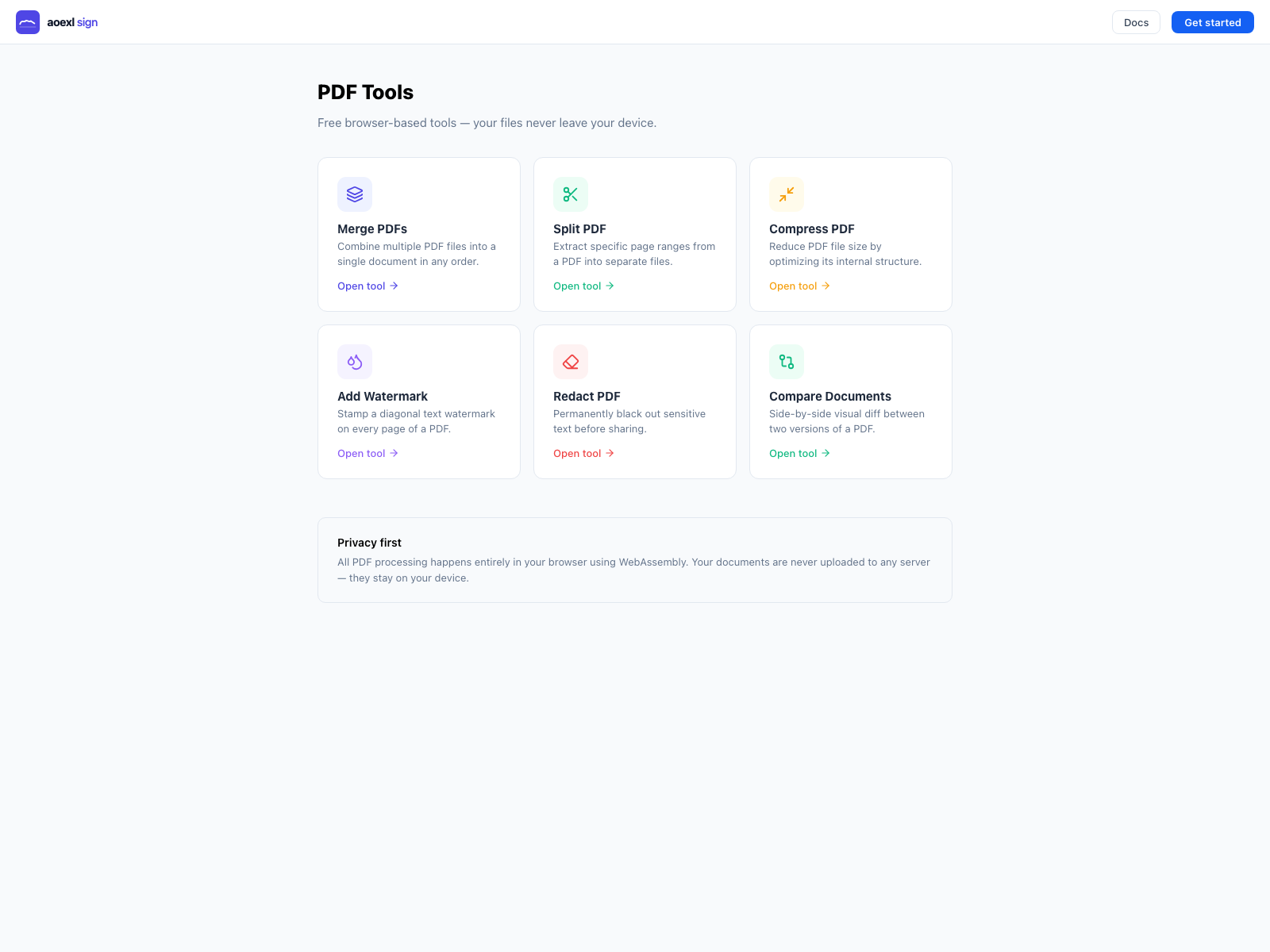
Public Entry Point
- app route:
/tools - hosted URL:
https://aoexl.com/tools
These tools are designed for lightweight self-serve use and run directly in the browser.
Available Tools
- Images to PDF
- Merge PDFs
- Split PDF
- Compress PDF
- Add Watermark
- Redact PDF
- Compare Documents
Privacy Model
The current tools flow is client-side:
- PDFs are loaded from the local device into the browser
- processing happens in-browser
- output files are downloaded back to the user
This keeps the tools useful as a public utility surface without requiring an authenticated dashboard session.
Current Scope
Use the tools page when you need quick document manipulation.
Use the signing product when you need:
- signer fields
- hosted signing links
- templates
- reminders
- audit trails
- completion artifacts
Example Public Link
https://aoexl.com/toolsTool Notes
Merge PDFs
Combine multiple PDFs into one file and reorder them before output.
Images to PDF
Convert one or more PNG, JPG, or WEBP images into a single PDF.
- reorder images before export
- choose
Auto,A4, orLetterpage sizing - choose
ContainorCoverfit mode - set output margins in-browser
Split PDF
Extract one or more page ranges from a source PDF.
Compress PDF
Re-save and normalize a PDF to reduce file size when possible.
Add Watermark
Apply a repeated diagonal text watermark across the document.
Redact PDF
Black out matched text items in the exported output copy.
Compare Documents
Load two PDFs side by side and inspect page-level text changes.