Why Embedded Signing Beats the Redirect Pattern
If your product has a document moment — an agreement, a form, a contract — the standard approach is to redirect users to DocuSign or a similar third-party signing service. It works. But it has a real cost that most teams only discover after they watch their onboarding funnel.
This post explains why embedded signing is a better default for product teams and how to set it up with the Aoexl SDK.
The Redirect Tax
When a user reaches a signature step and gets pushed to an external signing platform, several things happen:
They leave your product. The URL changes. The branding changes. The mental context shifts. For users who are mid-onboarding — filling out a merchant application, setting up a payroll account, signing a lease — this interruption is a real friction point.
You lose visibility. Once the user is on a third-party page, your analytics go dark. You cannot see how long they spent on the signature step, whether they got confused, or where they dropped off.
You pay per envelope. Most legacy e-sign tools charge by the document or by the seat. For high-volume onboarding flows, that cost scales in a way that hurts product economics.
Your brand disappears. Users associate the signing experience with the external vendor, not with you. For products where trust and brand coherence matter — financial services, healthcare, HR platforms — that is a material UX regression.
What Embedded Signing Looks Like
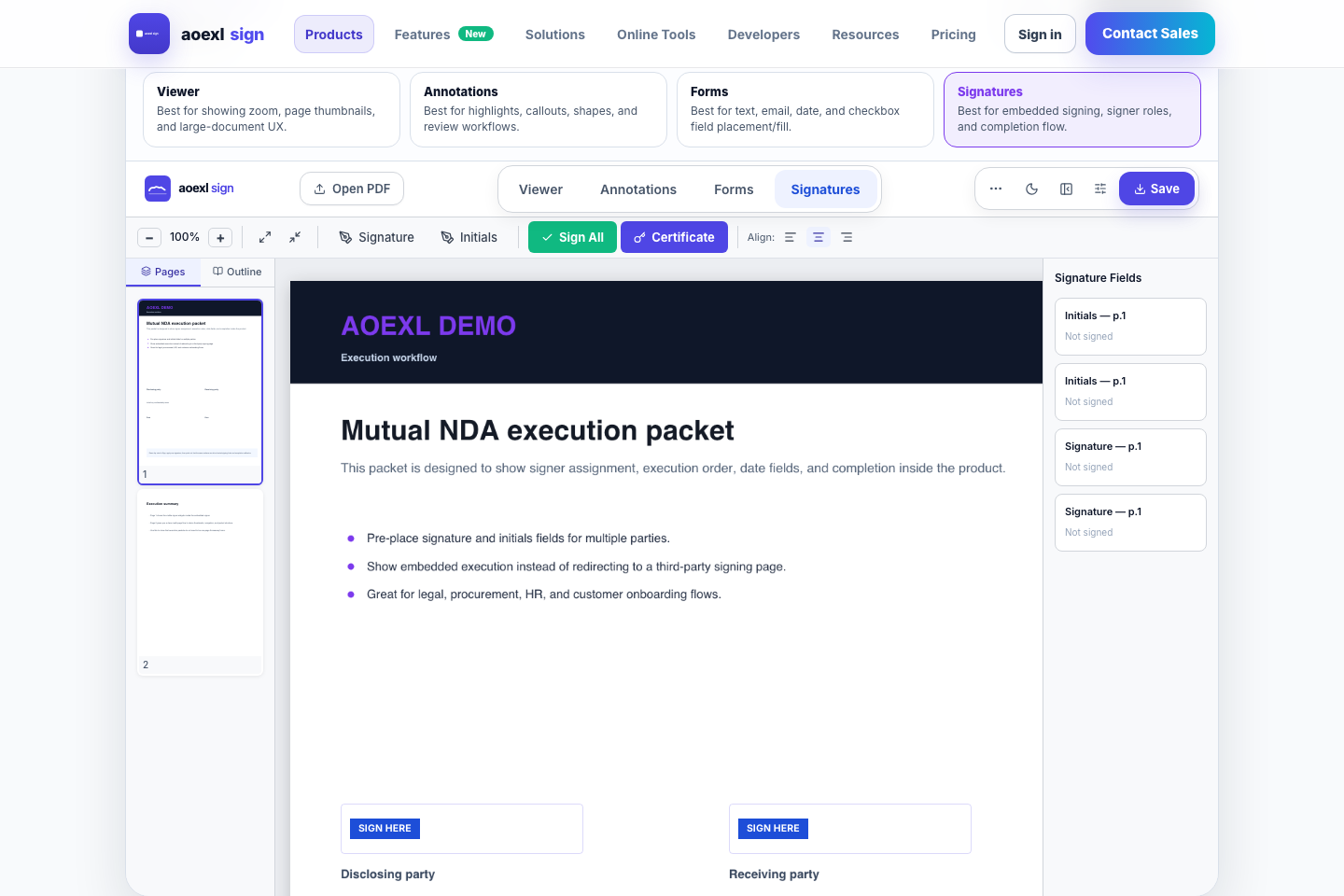
With an embedded approach, the signing UI lives inside your product. The user never leaves your app, never sees a different brand, and completes the signature as one step in your flow instead of as an external detour.
The code to embed a signing experience with the Aoexl SDK looks like this:
import { AoexlViewer } from '@aoexl/sign'

function MerchantOnboarding({ agreementPdfUrl, signer }) {
  return (
    <AoexlViewer
      licenseKey="pk_live_your_key"
      pdfUrl={agreementPdfUrl}
      mode="sign"
      signerInfo={{
        name: signer.name,
        email: signer.email,
      }}
      onComplete={(result) => {
        // result.signedPdfBytes -> the signed PDF
        // result.fields -> current field values
        // result.sessionId -> completion reference
        saveToBackend(result)
      }}
    />
  )
}
The component handles field rendering, signature capture (draw, type, or upload), field navigation, and completion. Your backend receives the signed PDF bytes through onComplete or through a webhook callback.
Hosted Signing Links for External Recipients
Embedded signing is ideal when the signer is inside your app. But sometimes you need to send a document to someone outside your product — a customer, a contractor, or a counterparty.
For that case, Aoexl supports hosted signing links. You create a signing request through the API, and the recipient receives a link that opens a hosted signing page on your domain. The signer completes the document without needing an account.
const response = await fetch('/api/signing-requests', {
  method: 'POST',
  headers: {
    Authorization: `Bearer ${accessToken}`,
    'Content-Type': 'application/json',
  },
  body: JSON.stringify({
    documentId: 'doc_123',
    documentName: 'Merchant Agreement',
    signerName: 'Jane Merchant',
    signerEmail: 'jane@merchant.co',
    sourcePdfUrl: 'https://yourapp.com/docs/merchant-agreement.pdf',
    webhookUrl: 'https://yourapp.com/api/signing-webhook',
  }),
})

const { signingUrl, token } = await response.json()
// signingUrl → send this to the signer by email
// token → track completion status
When the signer completes the document, a webhook fires to your backend with the signed PDF URL, a completion certificate, and the full field payload.
Templates for Repeatable Flows
Most onboarding workflows use the same document structure repeatedly. A merchant onboarding platform sends the same agreement to every merchant. An HR platform sends the same offer letter with minor variable substitutions.
The Aoexl template system lets you prepare a document once — place fields, assign signers, set defaults — and reuse it. From the app UI, use the Templates page to save any prepared document as a reusable template. Programmatically, templates are stored and retrieved with the templates API.
This means you are not re-uploading and re-placing fields for every send. You prepare once, and the signing flow is repeatable.
Completion Artifacts
After signing, Aoexl generates two artifacts:
Signed PDF. The original document with signatures and field values embedded using pdf-lib. Fields are flattened, so the signed PDF is a clean, self-contained file that is safe to store and share.
Completion certificate. A separate PDF that includes the document name, signer name and email, completion timestamp, signer IP address (edge-resolved), a SHA-256 digest of the signed PDF, and an optional signature thumbnail. This gives you a tamper-evident audit record without needing a separate notarization service.
Both artifacts are stored in your configured storage bucket and returned as signed URLs in the webhook payload.
Webhooks for Backend Completion Handling
The completion pipeline fires a webhook to your configured endpoint after signing. The payload includes:
{
  "event": "document.completed",
  "version": "2026-03-26",
  "data": {
    "sessionId": "...",
    "token": "...",
    "signerName": "Jane Merchant",
    "signerEmail": "jane@merchant.co",
    "signedPdfUrl": "https://...",
    "certificatePdfUrl": "https://...",
    "completedAt": "2026-04-09T...",
    "ipAddress": "...",
    "fields": { ... }
  }
}
The webhook includes an X-Aoexl-Signature header (HMAC-SHA256) when a webhook secret is configured, so your backend can verify authenticity.
When to Use Which Pattern
| Scenario | Recommended approach |
|---|---|
| Signer is logged into your app | Embedded SDK component |
| Signer is an external recipient (customer, counterparty) | Hosted signing link via API |
| Same document structure sent repeatedly | Template + hosted signing link |
| Need to notify backend on completion | Webhook callback |
| Need audit trail for compliance | Completion certificate + signed PDF storage |