Streamlining Document Collaboration with Real-Time PDF Editing
Modern document workflows are rarely solitary. Agreements, contracts, and technical specifications often require multiple stakeholders to review, annotate, and sign simultaneously. Traditionally, this meant a clunky cycle of downloading, editing, and re-uploading PDFs, often leading to version control nightmares.
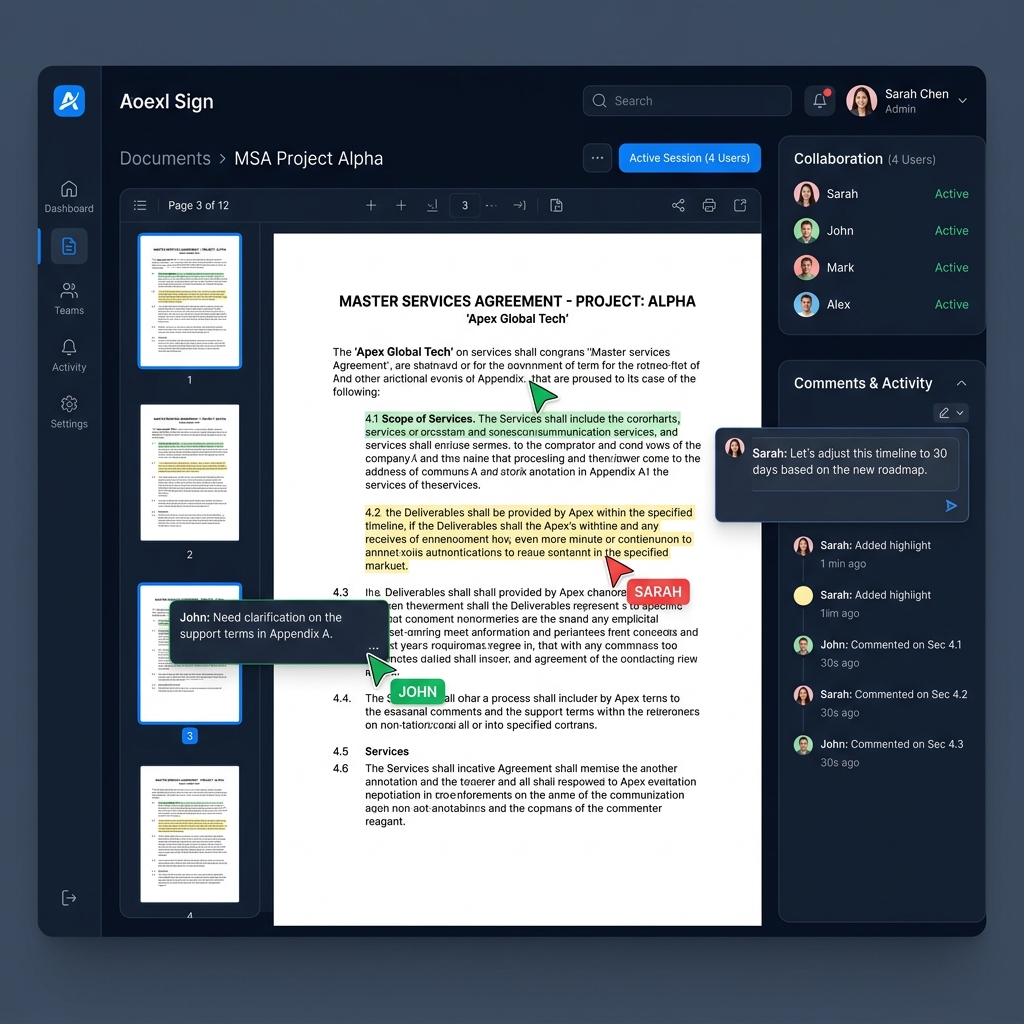
Real-time PDF collaboration solves this by allowing multiple users to work on the same document simultaneously. Edits and annotations are instantly synchronized across all users, ensuring everyone is working on the latest version.
This article explores how the Aoexl SDK enables real-time collaboration with instant synchronization, offline support, and granular permissions.
Why Choose Real-Time PDF Editing?
Real-time PDF editing eliminates the "ping-pong" effect of document exchange. Whether your users are adding annotations, filling out complex forms, or providing feedback, they stay within your application's context.
Key benefits include:
- Improved workflow efficiency: No more manually managing versions or email attachments.
- Better team coherence: Stakeholders see changes as they happen, reducing duplicate work.
- Single source of truth: Avoid the confusion of "Contract_v2_FINAL_revised.pdf".
- Premium User Experience: Provide a modern, interactive document environment that feels like Google Docs but for PDFs.
Key Features of Aoexl Real-Time Sync
The Aoexl SDK provides a robust synchronization layer that handles the complexities of multi-user editing:
- Instant Synchronization: Edits made by one user (highlights, notes, signatures) are broadcast to all other active sessions in milliseconds.
- Conflict Resolution: The SDK automatically handles simultaneous edits to the same field or annotation, ensuring the state remains consistent.
- Offline Support: If a user loses connection, they can continue annotating. The SDK queues changes and syncs them automatically once the connection is restored.
- Granular Permissions: Control who can add, edit, or delete specific annotations based on user roles (e.g., "Viewer", "Editor", "Approver").
- Rich Annotation Suite: Full support for highlights, freehand drawing, stamps, and threaded comments.
Implementation Patterns
Aoexl is designed to be flexible. You can implement collaboration in two primary ways:
1. Fully Embedded SDK
Use the Aoexl SDK directly in your frontend (Web, Mobile) to handle the collaborative session. In this mode, the SDK communicates with a backend synchronization service to broadcast updates.
import { AoexlViewer } from '@aoexl/sign'

function CollaborativeSession({ documentId, currentUser }) {
  return (
    <AoexlViewer
      documentId={documentId}
      collaboration={{
        enabled: true,
        userId: currentUser.id,
        userName: currentUser.name,
        syncUrl: 'https://sync.your-api.com'
      }}
      onSyncError={(err) => console.error('Sync failed:', err)}
    />
  )
}
2. Managed Hosted Sessions
For external stakeholders who aren't logged into your app, use hosted signing links. Aoexl manages the state and provides a secure, lightweight environment for external parties to collaborate and sign.
Conclusion
Real-time PDF collaboration is a significant upgrade for any document-heavy application. By leveraging the Aoexl SDK, you can eliminate versioning headaches and provide a seamless, high-performance editing experience that keeps users engaged.
Whether you're building a legal tech platform, a construction management tool, or a healthcare portal, real-time sync is the foundation of a modern document stack.